Languages LMSable supports
LMSable courses come out in seven languages. The choice you make in a course sets the language the AI is asked to write in and the language of the fixed labels the exported player shows. The LMSable interface and this Help Center are in English only.
The seven course languages
| Language | Code | Course Builder | AI Quiz Generator | PowerPoint to SCORM | AI H5P Generator |
|---|---|---|---|---|---|
| English | en |
yes | yes | yes | yes |
| Polish | pl |
yes | yes | yes | yes |
| Czech | cs |
yes | yes | yes | yes |
| Spanish | es |
yes | yes | yes | yes |
| German | de |
yes | yes | yes | yes |
| French | fr |
yes | yes | yes | yes |
| Portuguese | pt |
yes | yes | yes | yes |
The AI H5P Generator offers four more on top of those seven: Italian, Dutch, Swedish and Norwegian (Bokmål). Its Portuguese entry is Brazilian Portuguese. That makes 11 content languages in the H5P Generator and seven everywhere else.

The Certificate Generator has no language setting. Every word on a certificate except a few fixed lines is text you type yourself, so you can write a certificate in any language; the fixed lines and the month names are English.
What the course language controls
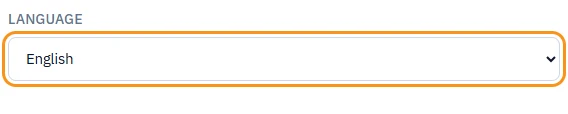
Pick it on the Course step of the Course Builder, under Language. A new course starts as English.
- AI prompts. Every prompt LMSable builds tells your AI chat to write all visible text in that language.
- Course player. Navigation, the table of contents, module progress, the search box, the lock messages and the end-of-course screen are translated into all seven languages, in both the lesson player and the slide player.
- Quiz labels. Start, Question, Check, Continue, Your score, Passed, Not passed, Try again, and the time-limit messages.
- Branching scenario labels. Continue, Start again, Step, Your score and the video-gate messages.
The free tools use the same setting for the same purpose: the AI Quiz Generator labels the quiz player, and PowerPoint to SCORM labels the slide player, in the language you pick.
What it does not do
Changing the language does not translate anything you have already written. It only changes the language of prompts generated from that moment on and of the player labels. Lessons, quiz questions and scenario text you already have keep the language they were written in. If you want an older lesson in the new language, generate it again.
Note
There is no machine translation in LMSable. Nothing you write is sent to a translation service, and nothing is rewritten behind your back.
Writing in a language that is not on the list
Nothing blocks it. LMSable never inspects the language of your text, so a lesson written in Italian, Ukrainian or Japanese saves, previews and exports exactly like any other. What you give up is the player: the fixed labels follow the language code you picked, so your Italian lesson would sit inside an English or Polish player frame. Pick whichever of the seven is closest to your audience and the mismatch stays limited to buttons and navigation.
In the AI H5P Generator the picture is slightly different. The buttons inside an H5P activity come from the H5P library's own translation file for that language. When a library has no file for the language you picked, that activity falls back to English buttons even though your content is in the language you asked for.
The interface and the Help Center
The LMSable interface is English only. There is no interface language switch, and there is no translation of the app into the seven course languages: the application locale is fixed to English. This Help Center is English only too, and so is the template gallery - all six ready-made courses are written in English. When you copy a template, its course language is English; you can change that setting afterwards, but the copied text stays English until you rewrite it.
Next
- Course language and writing courses in other languages - how to set it, step by step.
- Which tool do I need?